
Wispr
Your voice, your words. Instantly.
Privacy-first voice dictation for macOS. All processing happens on your Mac.
Scroll to explore
Your voice, your words. Instantly.
Privacy-first voice dictation for macOS. All processing happens on your Mac.
Two easy ways to install Wispr
Loading version...
brew tap sebsto/macos && brew trust sebsto/macos
brew install wispr
Help keep it free and open source
Every contribution helps
Press Option+Space anywhere on your Mac to start dictating. Release to transcribe. It's that simple.
All voice processing happens on your device. No audio ever leaves your Mac. No cloud, no servers, no tracking.
Powered by on-device AI models including Whisper and NVIDIA Parakeet. Get accurate transcriptions in seconds, even without internet.
Dictate in any language. Auto-detect mode figures out what you're speaking, or pin your preferred language.
Press and hold Option+Space (or your custom shortcut) from any app.
Talk naturally. Wispr captures your voice and shows real-time audio feedback.
Release the hotkey. Your words appear right where your cursor is.
A guided setup walks you through everything you need.


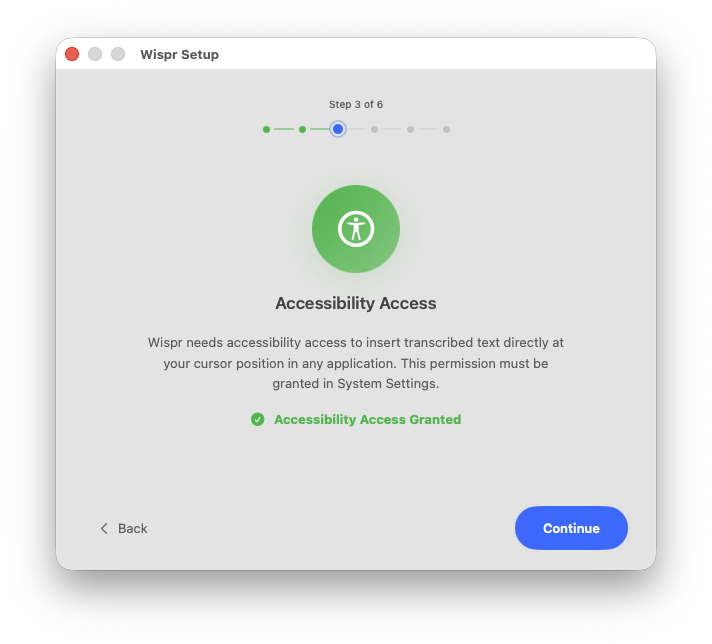


Clean, native interface that feels right at home on your Mac.

Dictation and meetings, one click from the menu bar
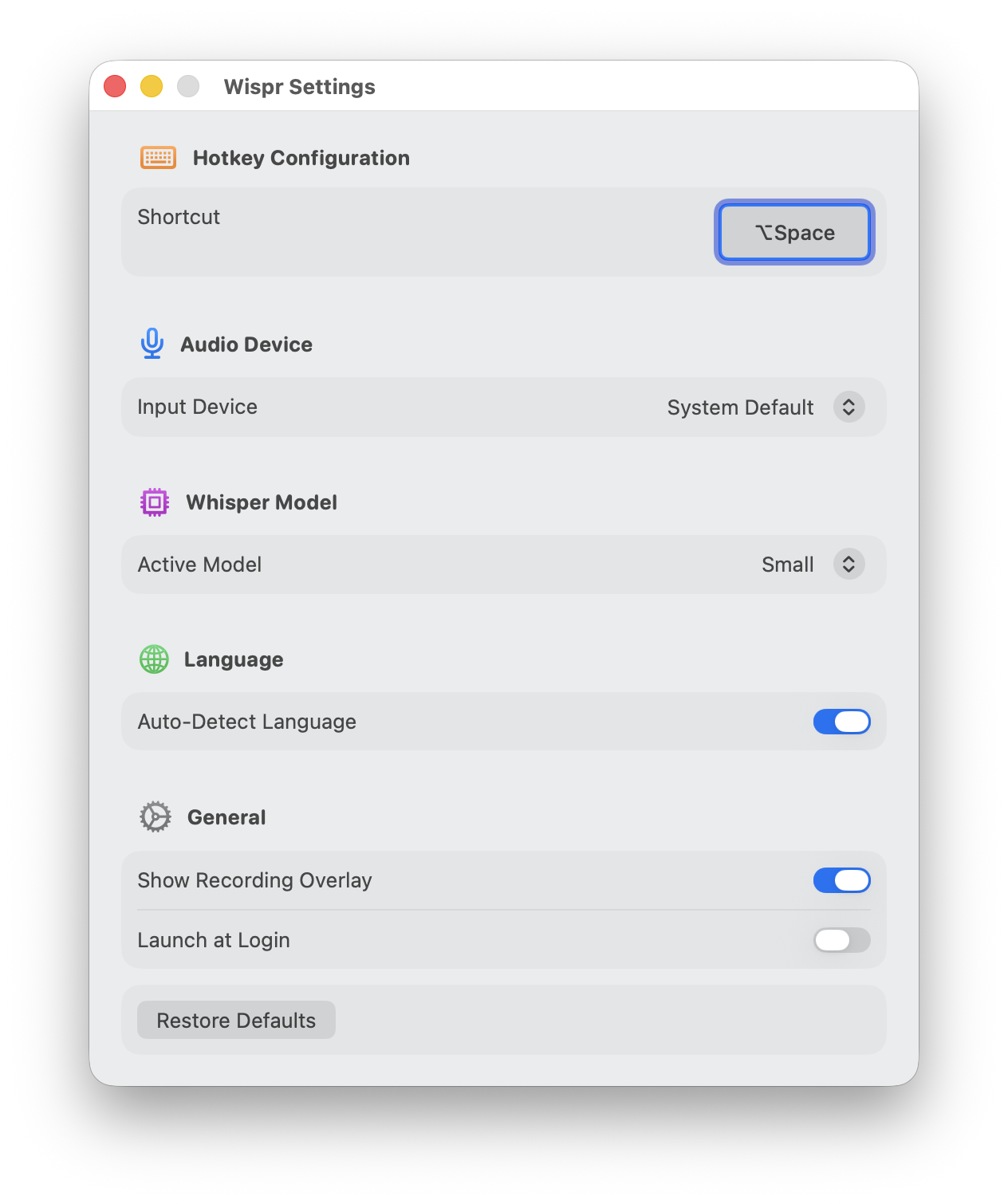
Customize to your workflow

Choose between Whisper and Parakeet models
In person or online, Wispr writes down who said what. On device, like everything else.
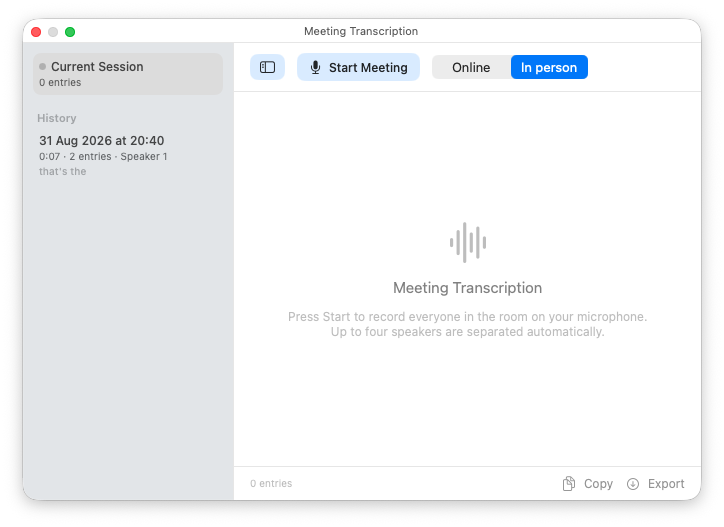
Start an in-person or online meeting in one click
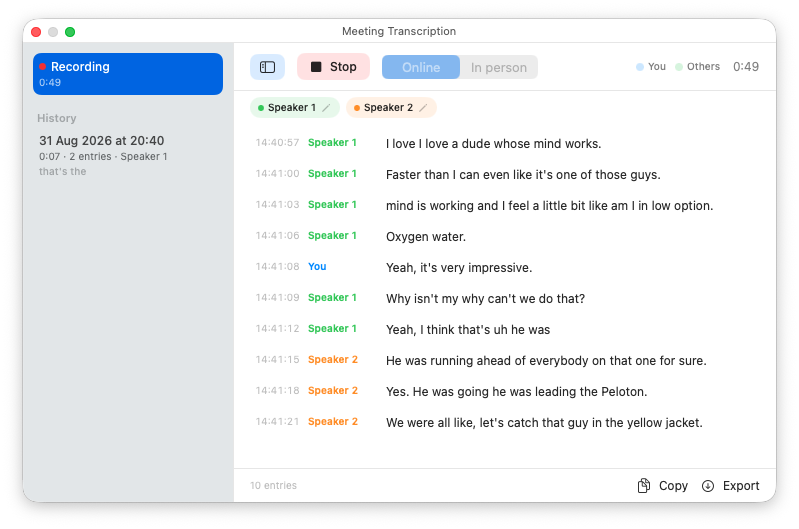
Follow a live transcript with each speaker separated

Tune speaker detection and where transcripts are saved
Draft articles, emails, and documents faster than typing. Let your thoughts flow without keyboard friction.
Document code, write commit messages, and respond to issues using your voice. Works in any text field.
Take notes during lectures, write essays, and capture ideas quickly. Perfect for research and study sessions.
Reply to messages, fill forms, search the web. Anywhere you type, Wispr makes it faster.